 Random String Generator for Letters, Symbols, and Kana
Choose a length and character set, then generate and copy a random string. Supports letters, numbers, symbols, hiragana, and katakana.
Character Types
How to use
Choose a Length
Enter 1–2048 characters in the number field. The slider covers 1–64 characters.
Pick Characters
Simple mode controls whole categories, while Detailed mode controls characters individually. Hiragana and Katakana are selectable in a 10x5 gojuon grid.
Generate and Copy
Click "Generate", then use "Copy" to put it on your clipboard. Generate again if you want alternatives.
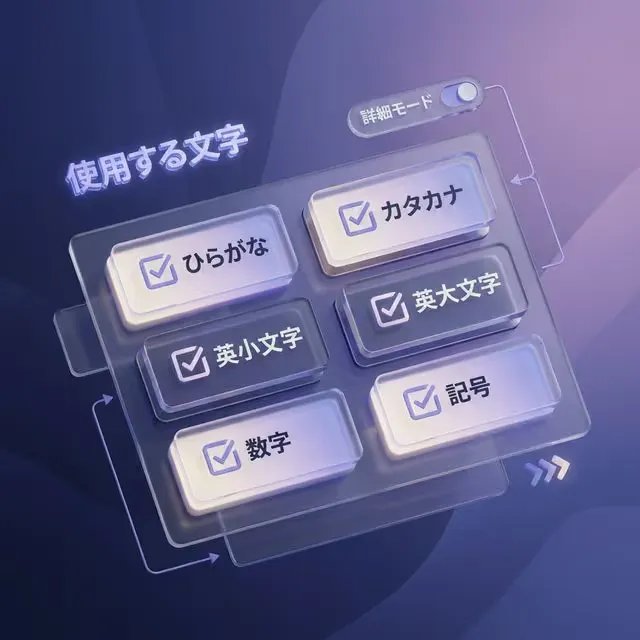
Mix letters, numbers, symbols, Hiragana, and Katakana
Choose broad character groups with checkboxes, or switch to detailed mode to remove confusing characters such as I and 1 or limit output to a precise custom set.

Works immediately on desktop and mobile browsers
No account or install step is required. Generate local test values from a work laptop or phone whenever a temporary ID, token-like string, or sample value is needed.

Generate readable Japanese-style sample strings too
Hiragana and Katakana can be included for sample names, playful passphrases, content placeholders, or localization test data that should not look like production text.
Frequently asked questions
Is the generated string stored anywhere?
No. Generation runs in your browser, and the string is not uploaded or stored on a server.
Can I use this to generate passwords?
You can generate password candidates. Check the length and character rules of the service where you will use them. Each result may not contain every selected character type, so verify that it meets those rules.
Can I include Hiragana/Katakana?
Yes. Enable them to mix Japanese characters. Turn them off if your destination only accepts ASCII.
What is the maximum length I can generate?
Up to 2048 characters. Some services may reject very long strings, so adjust based on your use case.
Is it truly random?
It uses the browser’s `crypto.getRandomValues()` to generate randomness.